
Edit every step
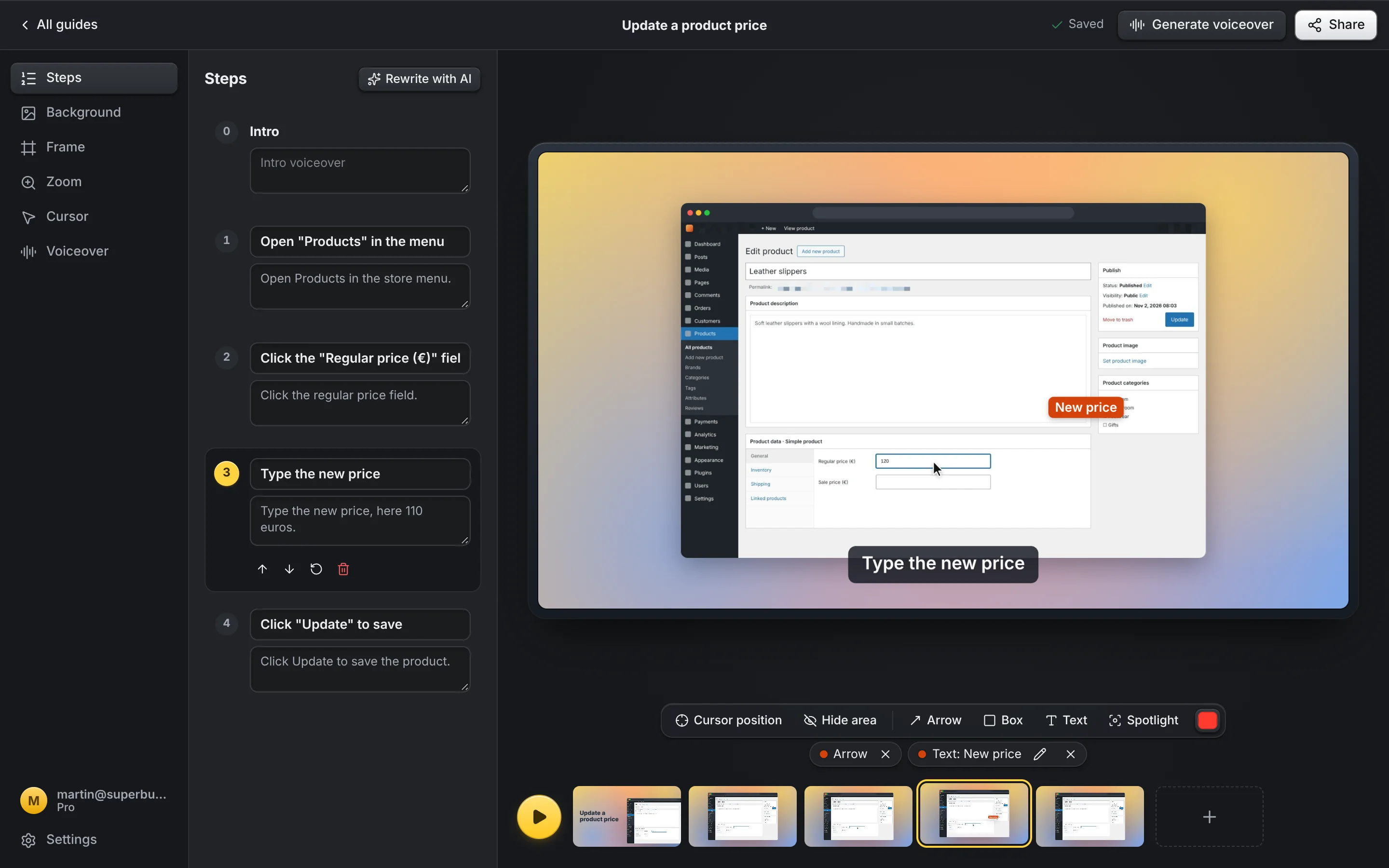
Hide private details, add arrows, boxes, labels and a spotlight, or rewrite captions with the AI built into Chrome.
Do a task once and SuperBusy Guides records every click as a step with a screenshot and a caption. Add notes, hide private details, then share a video or a guide. Everything is made and stored on your computer.
Guides often show screens you would never post in public: admin panels, client accounts and internal tools. That's why SuperBusy Guides doesn't upload them anywhere.
Hide private details, add arrows, boxes, labels and a spotlight, or rewrite captions with the AI built into Chrome.
Natural Google voices read each step out loud. Translate the steps on your computer, then voice them in another language.
Export a video, a GIF or a player page, or copy the steps as text for a ticket or a wiki.
Guides live in Chrome on your computer, and passwords are never recorded. You share a file you exported, so you know who has it.
From a task to a guide in a few minutes.
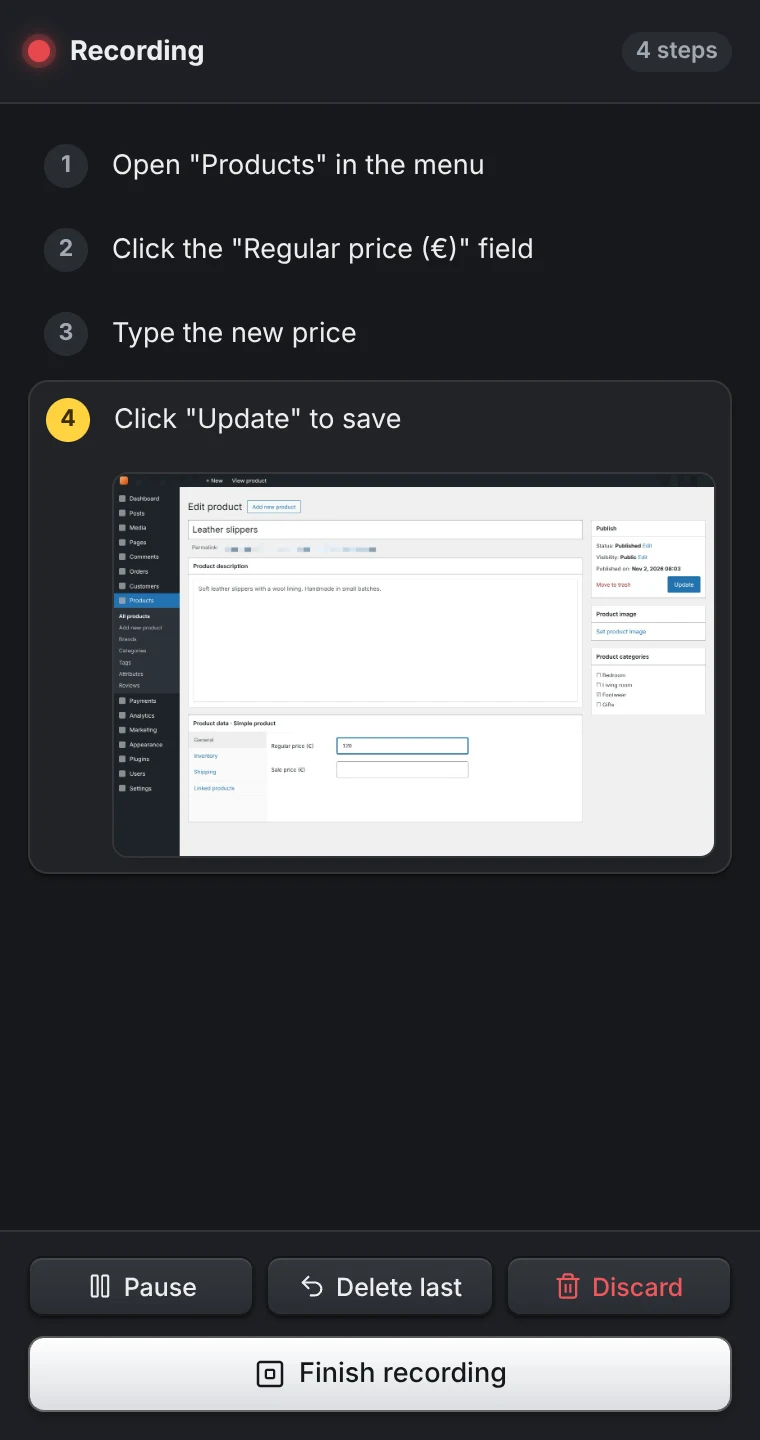
Open the side panel and press Record. Each click becomes a step.
Fix captions, add arrows and labels, hide details, add a voiceover.
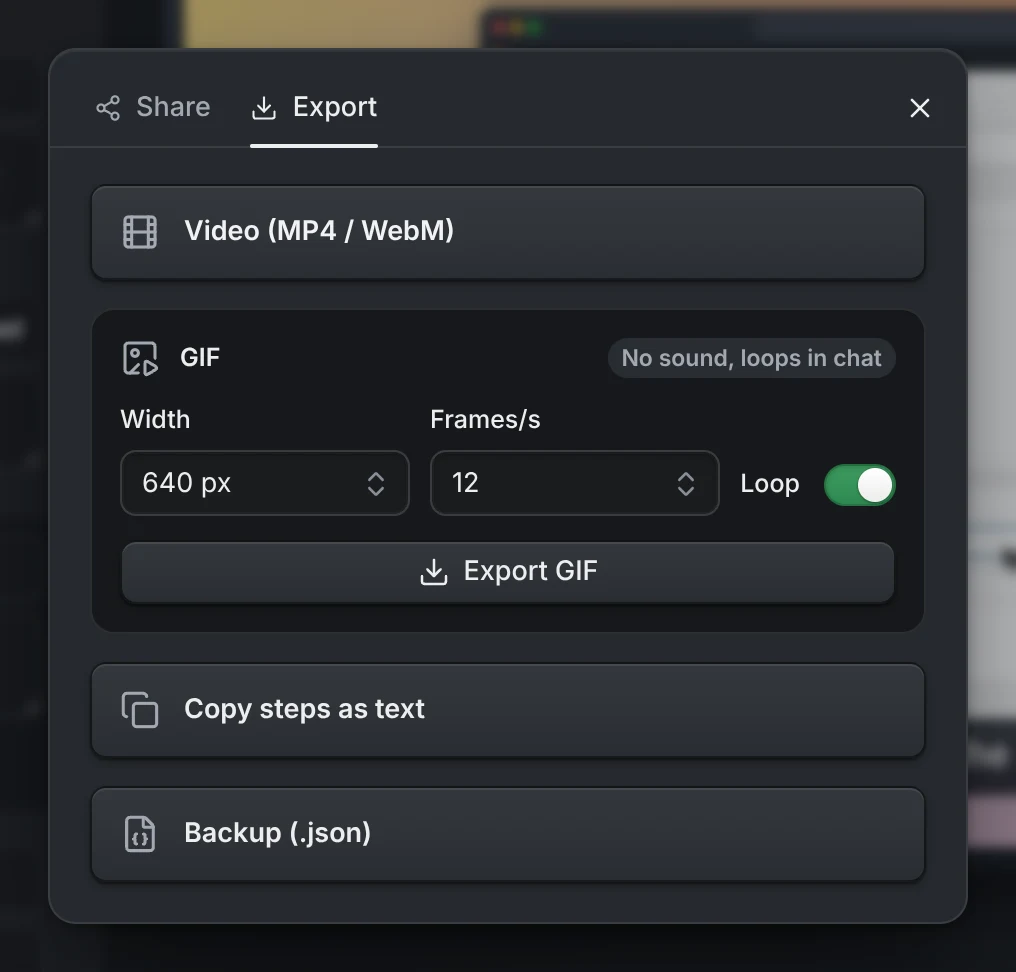
Copy the steps as text, or export a video, a GIF or a player page.
Free to try. Upgrade when you need a voiceover or a video.
No card needed.
That's €8.25 a month. VAT included.
No. Guides are stored in Chrome on your computer and never sent to us. We have no copy to look at, lose or hand over.
No. When you type into a password, card, PIN or token field, the step says what to do and leaves the value out. It never reaches the guide.
Your email, to send you a sign-in code. On Pro, the voiceover text, to make the audio. It isn't stored or logged. Card details go straight to Stripe.
Screenshots, what you type, page addresses and your guides stay on your computer.
You sign in with your email and a 6-digit code. There's no password. Your account is how Pro follows you to another computer.
It uses the AI built into Chrome, so it needs Chrome 138 or newer on a desktop computer with 16 GB of memory or a graphics card with more than 4 GB, and about 22 GB of free disk space for a one-time download.
On other computers your captions stay as you wrote them. Everything else works the same.
In the extension, open Settings and choose Manage subscription. Pro stays on until the end of the period you paid for, and you keep every guide.
Install the extension, record a task, and see the finished guide before anything leaves your computer.
Add to Chrome Free to try. Pro from €8.25 a month.